
What Happened:
I was on Ebay, not too long ago, looking for any camera that was 1) affordable and 2) different from most of the analog cameras I’ve been buying. I forgot what search words I used, but whatever it was, I ended up on a page with two Kodak Six-16 Brownie Juniors up for bid. In the end, I ended paying around $25 for both of them, with shipping.

Kodak Six-16 Brownie Junior
When I got the cameras I realized where they got their names from. They both use 616 film. At first I thought that buying these cameras was a mistake, however, with help from Google, I found out there were ways to get 120 film to work in them.
Yay!
A Little Background:
Eastman Kodak came out with the Brownie Junior Six-16 in 1934, originally sold it for $2.75 and then discontinued it in 1942.
It’s 5″ tall, 3.25″ wide and 5.5″ deep.
The Six-16 used 616 film which was discontinued in 1984 in favor of 120 film.
There are two view finders on the Six-16; one on top for portrait shots and one one the side so you can take landscape shots.
f/Stops for both aperture settings are f/11 (tab down) and f/16 (tab up) and the shutter includes a bulb mode (tab out).
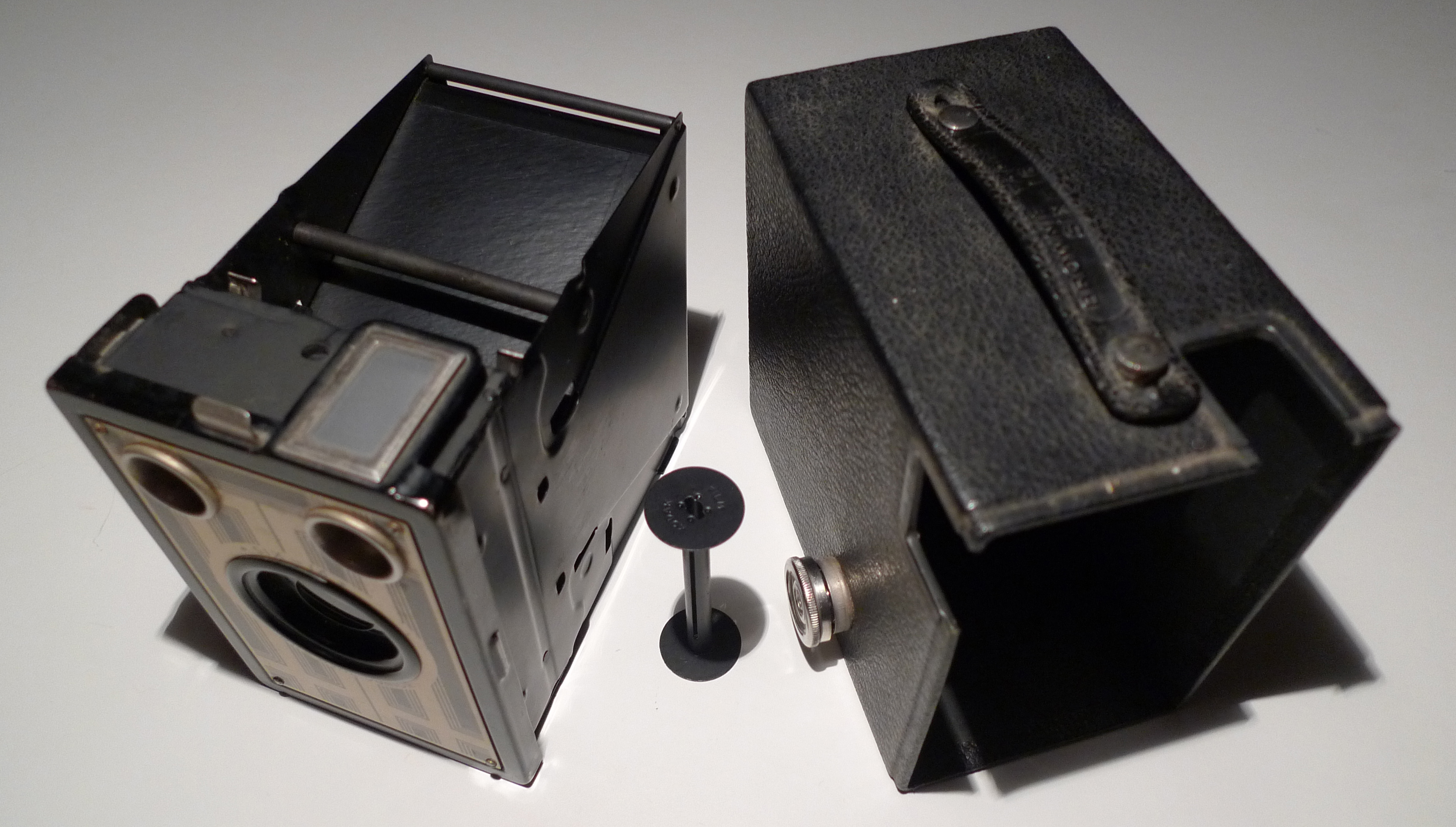
The metal frame, the 616 spool and the cardboard body covered in leatherette.
What To Do First:
First thing I did was clean decades worth of dust, dirt and contaminants on the mirrors and the lenses. After unscrewing and removing the faceplate, I was able to access and cleaning the insides of the viewfinders and lenses. I spruced up the mirrors and glass with a cotton swab and microfiber cloth.
These cameras were in really good shape. The main frame is metal while the external body is made out of pretty thick cardboard. Most of the camera was cleaned with a dry microfiber cloth and some patience.
Using 120 Film:
Fortunately, both cameras came with one empty 616 spool each, but still, I didn’t have any 616 film available.
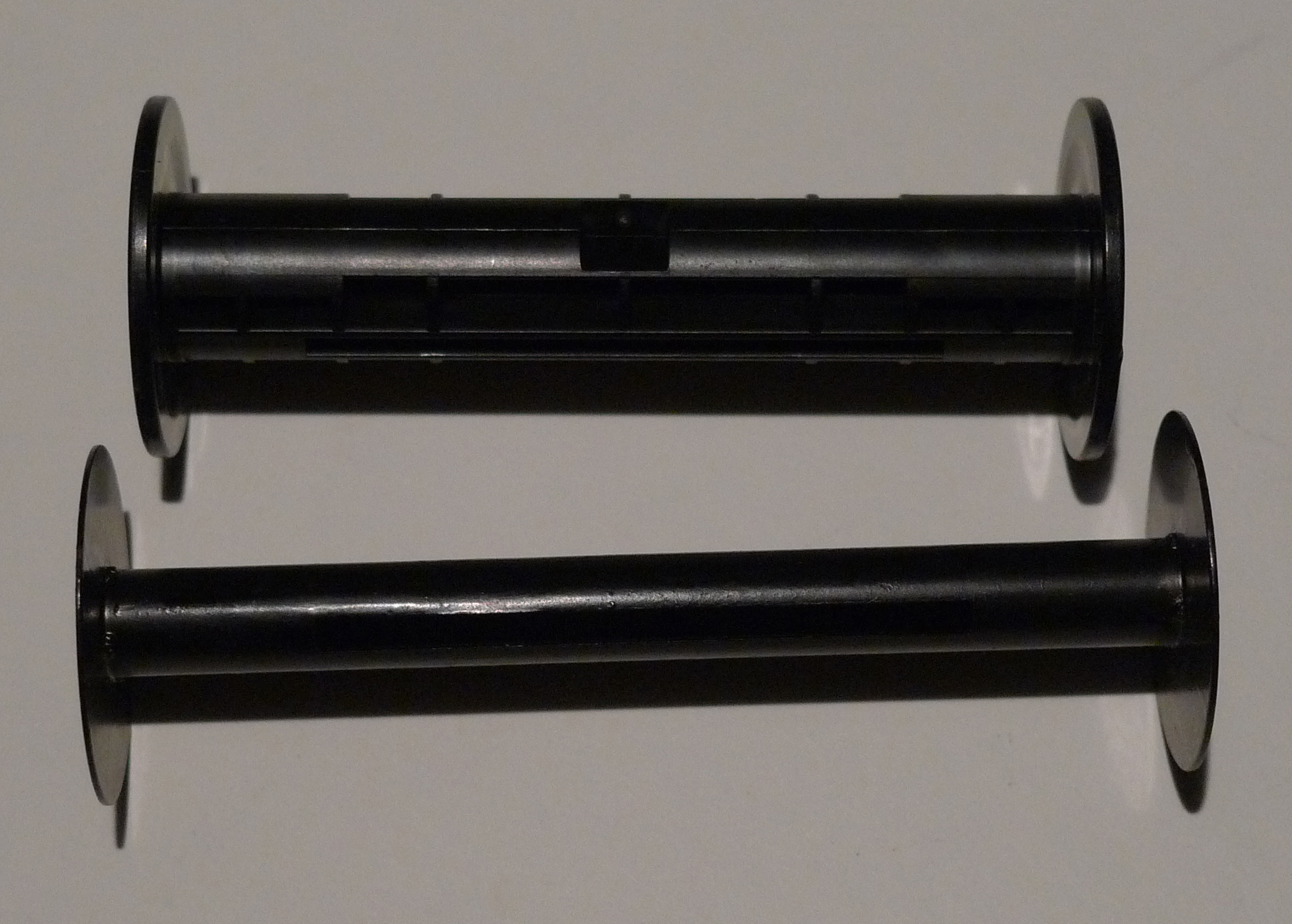
Above 120 Film Spool, Below 616 Film Spool
I went online and I saw that folks were able to take pictures with the Six-16 using 12o film rolls, however the 120 spools are shorter and have thicker stems. After realizing that I just needed some spacers, I started tinkering around with washers and coins. Eventually, I found that a couple of taped quarters on both ends of the 120 film spools make great spacers. In the end, the quarters trick worked, but only on the film spool side of the camera. The take-up side has a piece of knob that fits in the 616 spool, so using quarters would block the knob from doing it’s job.
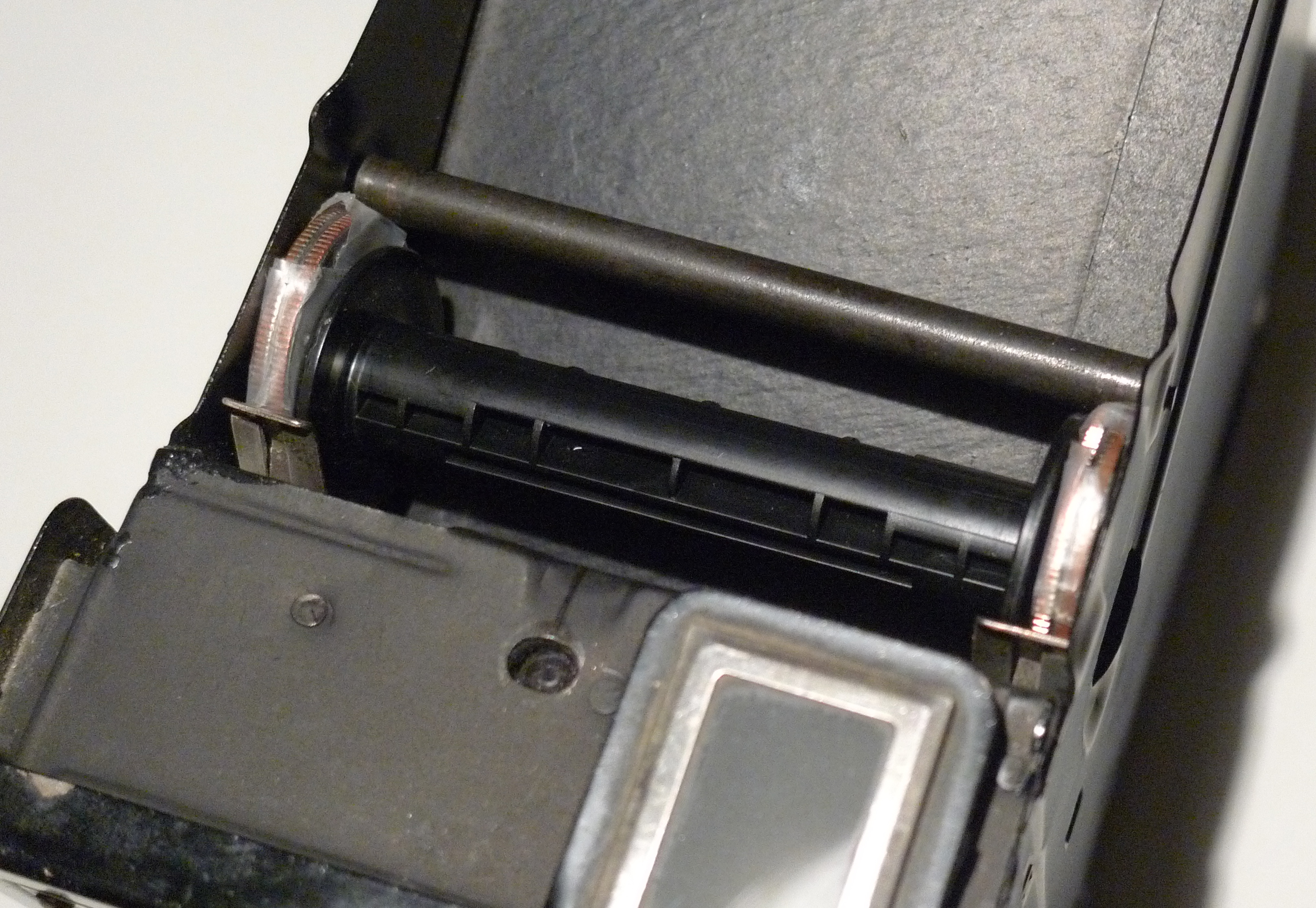
Put the quarters on the film spool side at the top of the camera and 616 spool in the take-up section at the bottom.
Because of the large exposures being taken, and especially for the first frame, I loaded the film in the dark so that parts of the picture (frames 1 and 2) wouldn’t get any light. As for frame counting on the 120 film, I shot at every three frames giving me five pictures total. The order was 3, 6, 9, 12 and 15 .
After shooting all your film, go back to the darkroom and roll the film back to the 120 spool and take it to get developed. I say to do this because 616 film spools are hard to find and you wouldn’t want to accidentally give away such an important piece of hardware to your photo developer.
The Test Run:
Here are a few pictures I took with the Kodak Six-16 Brownie Junior on 120 film. Not bad, eh?
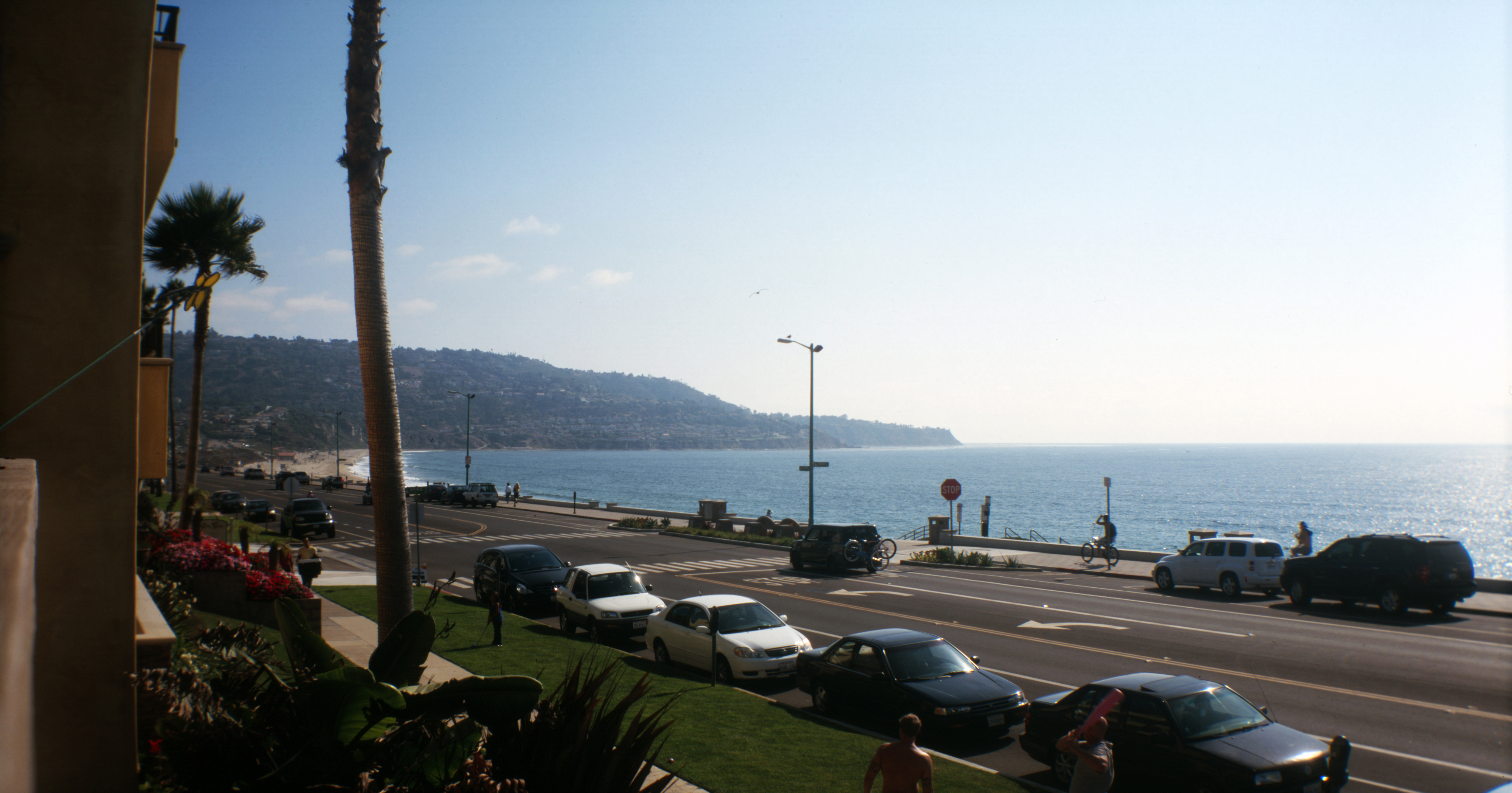
Shoreline at Torrance Beach, CA

Sunset at Redondo Beach, CA

Fox Theater in Westwood, California
Filed under: Reviews, Tip, Vintage Camera, 120, 616, antique camera, bargain, brownie junior, cheap, Kodak, redondo beach, torrance beach, Westwood
 FilmSpooler
[…] it. A lot. I’ve never used a medium format camera, so I’m a little nervous. But the instructions and photos I’ve seen so far look promising. Not to mention it is cute as […]
Great info; however, I have a question…
When you loaded the 120mm into your Brownie did the numbers line-up with the red window??
How did you know what numbers to wind to?
Thanks!!
Hi Joshua!
The numbers line up perfectly with the red window. I start at 3 and skip to 6, 9, 12 and 15. I’ve tried 1, 3, 5, 7… as well, but the exposures overlap.
Trial, error and guestimations helped…
(updated my first response as the answer was in the original post)
Hi. It lined up, but I skipped every three, 1, 4, 7, 10. Anything less and I got some overlapping.
where did you got to get your 120 developed?
also, the pics look great but I’m looking for a more….”authentic”? look. i kind of want the pics to look like they were taken with a kodak brownie from 1934. Real life instagram kinda thing. How should i go about that with 120 film?
*total newb so dumb down if you need to. Thanks so much btw. Helpful article and clever website 🙂
Hi Chandler.
In LA, I can go to either the Lomography store or Belair camera in West LA. They will develop color film on-site or send slide and b/w to Swan Labs in San Clemente (with a 3 day turnaround).
Getting an authentic look? Several factors come into play…film quality today is way better, so you may not be able to achieve the look you’re shooting for. However old cameras will have impurities on the lens, light leaks (depending on the camera’s condition) and even the quality of the lens will make a difference.
I like a little more contrast in my shots so I use PS to get better darks and clean up dust from the scans.
Hope this helps…
How did the developer get these with no film marks in between?
Not sure what you mean about film marks… The lenses were cleaned as much as possible, but I still got some impurities in them. I used PhotoShop to clean dust marks and such…
Excellent info. Thank you very much. Can’t wait to get mine cleaned up and loaded with b & w film.