FilmSpooler

Analog Photography…Toy, Lomo and Vintage

PhotoLoc: Bourbon Street Portraits with the Lomography Diana F+

I had the opportunity to fly out to New Orleans this year and fortunately for me, my hotel (while still economical) was around the corner from Bourbon Street.  With my Diana F+ in hand, I went out and shot pictures up and down the main drag…mostly shots of architecture.  As it was getting dark, I decided to bust out with my Diana Flash and then realized that, at night, the people working the street would be more interesting to shoot than the surroundings.  For the first time ever, I asked different vendors if I could take their pictures.  I’d say 3/4 of them were OK with having their pictures taken.  I also took the precaution to go into a store and get some change in case I was asked for a tip – which did happen about four times…no biggie.

The post work was a little challenging.  The Diana Flash is not a bright light.  Even with the aperture on the camera set to the widest setting, there was still a little underexposure.  The film that I used was Lomography’s Lady Grey 400.  In a camera with a higher quality glass lens, I think the shots would have been a lot more clearer…but at the same time, the underexposure wasn’t too bad and the pics came out rather decently after a little Photoshop love.

Oh well, enjoy!

Beer Guy on Bourbon Street - Diana F+

Beer Guy on Bourbon Street – Diana F+

Sports Bar Girl on Bourbon Street - Diana F+

Sports Bar Girl on Bourbon Street – Diana F+

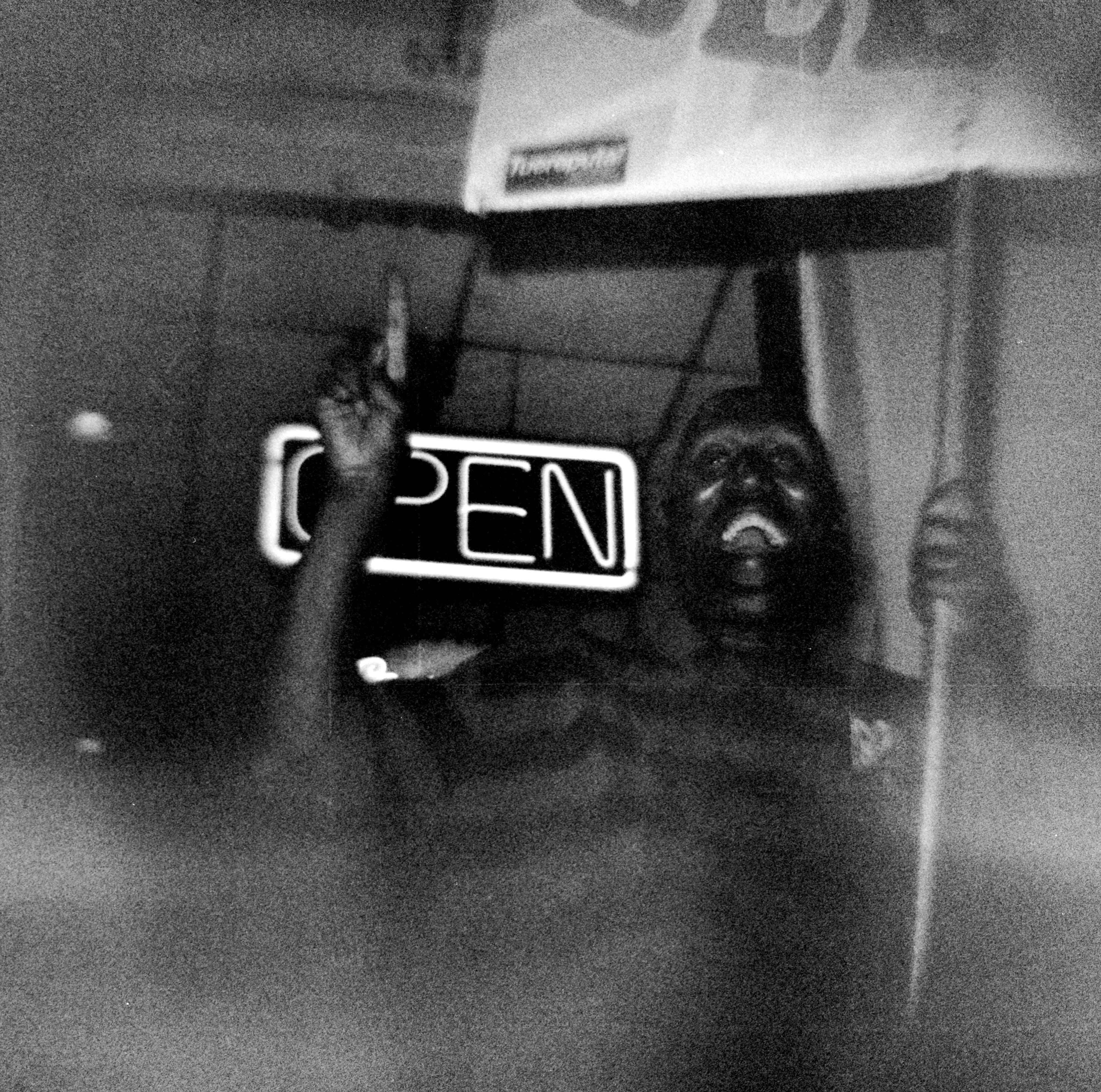
Sign Holding Guy on Bourbon Street - Diana F+

Sign Holding Guy on Bourbon Street – Diana F+

Shots Girl on Bourbon Street - Diana F+

Shots Girl on Bourbon Street – Diana F+

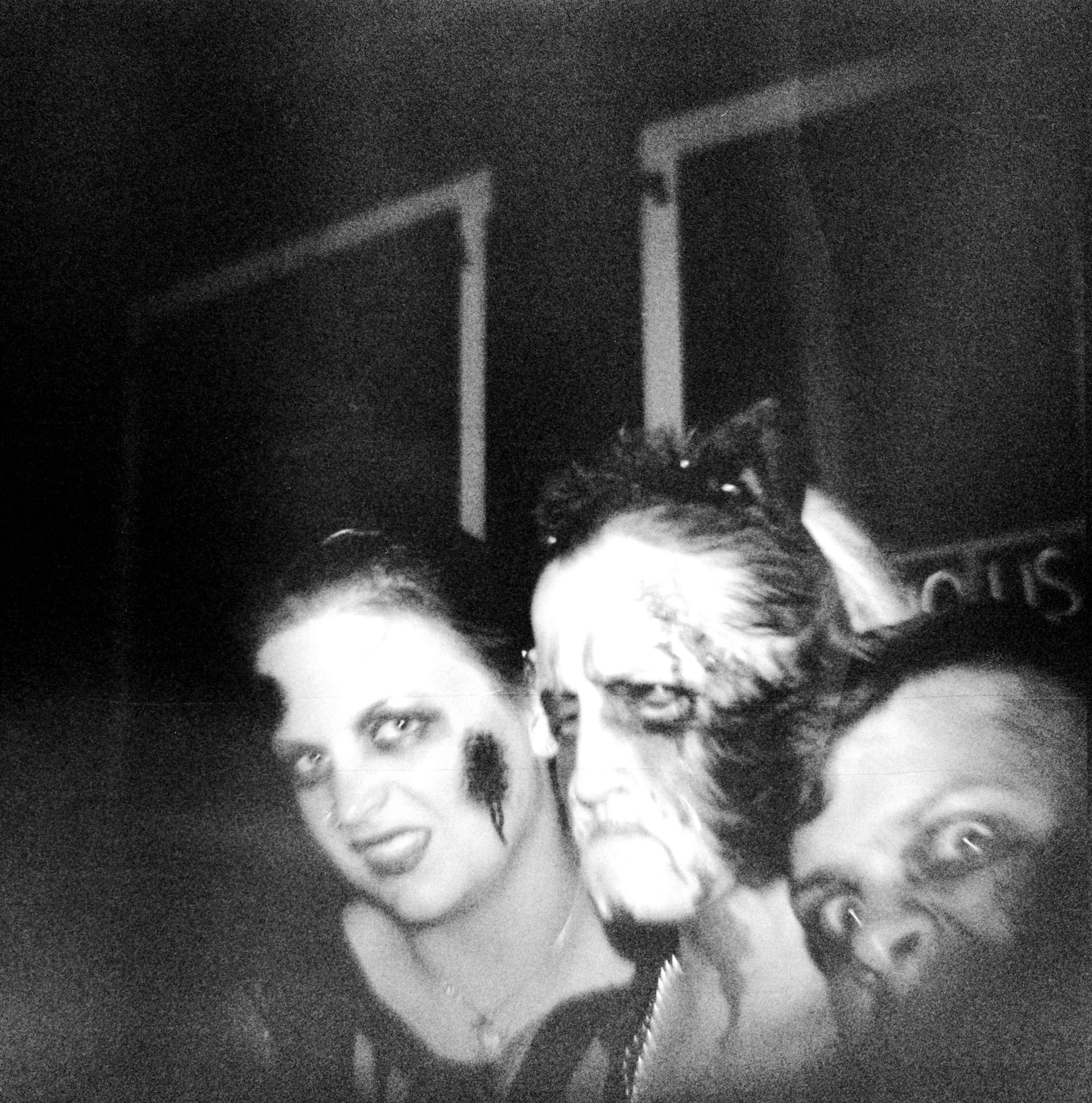
Scary Kids on Bourbon Street - Diana F+

Scary Kids on Bourbon Street – Diana F+

Flower Girl 1 on Bourbon Street - Diana F+

Flower Girl 1 on Bourbon Street – Diana F+

Piano Guy on Bourbon Street - Diana F+

Piano Guy on Bourbon Street – Diana F+

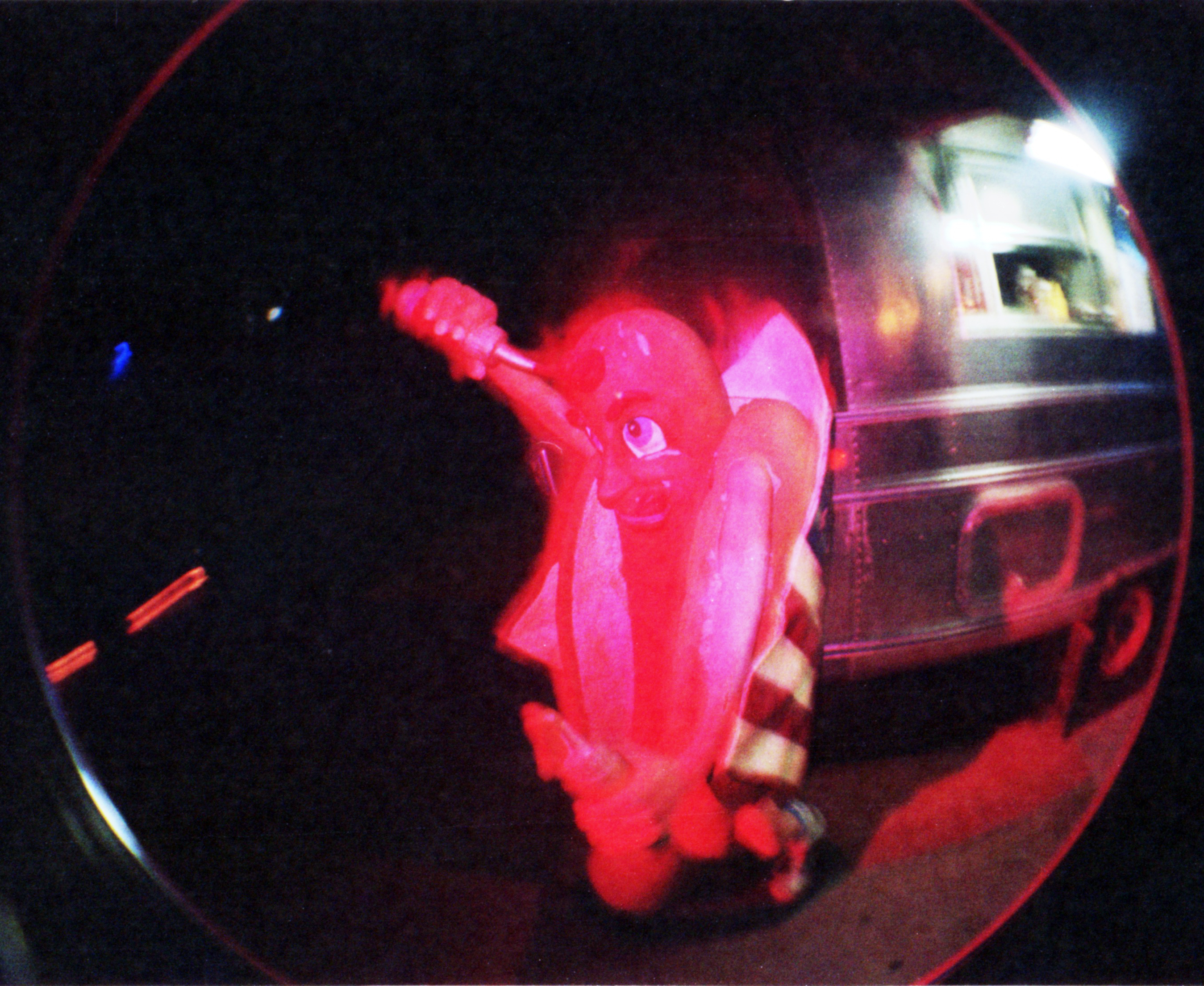
Hot Dog Vendor Guy on Bourbon Street - Diana F+

Hot Dog Vendor Guy on Bourbon Street – Diana F+

Flower Vendor on Bourbon Street - Diana F+

Flower Vendor on Bourbon Street – Diana F+

Flower Girl 2 on Bourbon Street - Diana F+

Flower Girl 2 on Bourbon Street – Diana F+

Cowbow Guy on Bourbon Street - Diana F+

Cowbow Guy on Bourbon Street – Diana F+

Filed under: Analog Life, Film, PhotoLoc, Toy Camera, Uncategorized, , , , , , , , ,

Fixing A Broken Colorsplash Flash…

Not all hope was lost after dropping my handy little Lomography Colorsplash flash and breaking it.  A screwdriver and soldering gun helped save the day…

What it is:

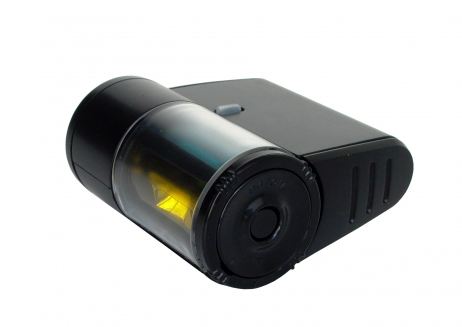
The Lomography Colorsplash Flash is a hot-shoe mountable flash unit that gives the photographer the choice of using different pre-selected color gels when the flash executes.  The photographer populates three of the four compartments with provided gels (the fourth one is a permanently fixed clear gel) in easy to figure out fashion.  Lomography also has a 35mm Colorsplash camera that follows the same design, but the advantage of using the flash on your own cameras is that you can use your camera’s features (ie zoom, multi-exposure, bulb) that the simple Colorsplash camera doesn’t have.

Lomography Colorsplash Flash

What Happened:

While I was helping carry some equipment around with my right hand, the Colorsplash flash in my left hand slipped off the hot-shoe on my Holga.  The poor little flash fell about three fee straight onto the hard wood floor. Thinking nothing of it, I picked and put it back on.  This wasn’t the first time I dropped it and its resilience to damage was pretty good up to then.

Unfortunately, as I went back into the party and started taking pictures again, the flash wasn’t going off with the shutter.  I ended up replacing it with another flash in my bag and moved on for the night.

Next day, I took a look a closer look at the Colorsplash flash and saw that the flash still charged up and the test button still triggered the bulb.  So the only problem with the flash was that the circuit connecting to the hot-shoe was broken.

The Take Apart:

I like taking broken things apart and, hopefully, fix them.  I probably could have taken the flash back to the store and find out if I could get a replacement, but it was the middle of the week and I didn’t have time to visit in the daytime.  Instead, I grabbed a small screwdriver, found a well lit spot in the kitchen and went at it…

Taking the Colorsplash apart wasn’t that bad.  First thing I did was take out the battery, but still kept in mind that parts in the flash may still be carrying a charge.  Next was to remove the one main screw on the bottom-side of the flash that tightens the whole unit together.

Removing the main screw...

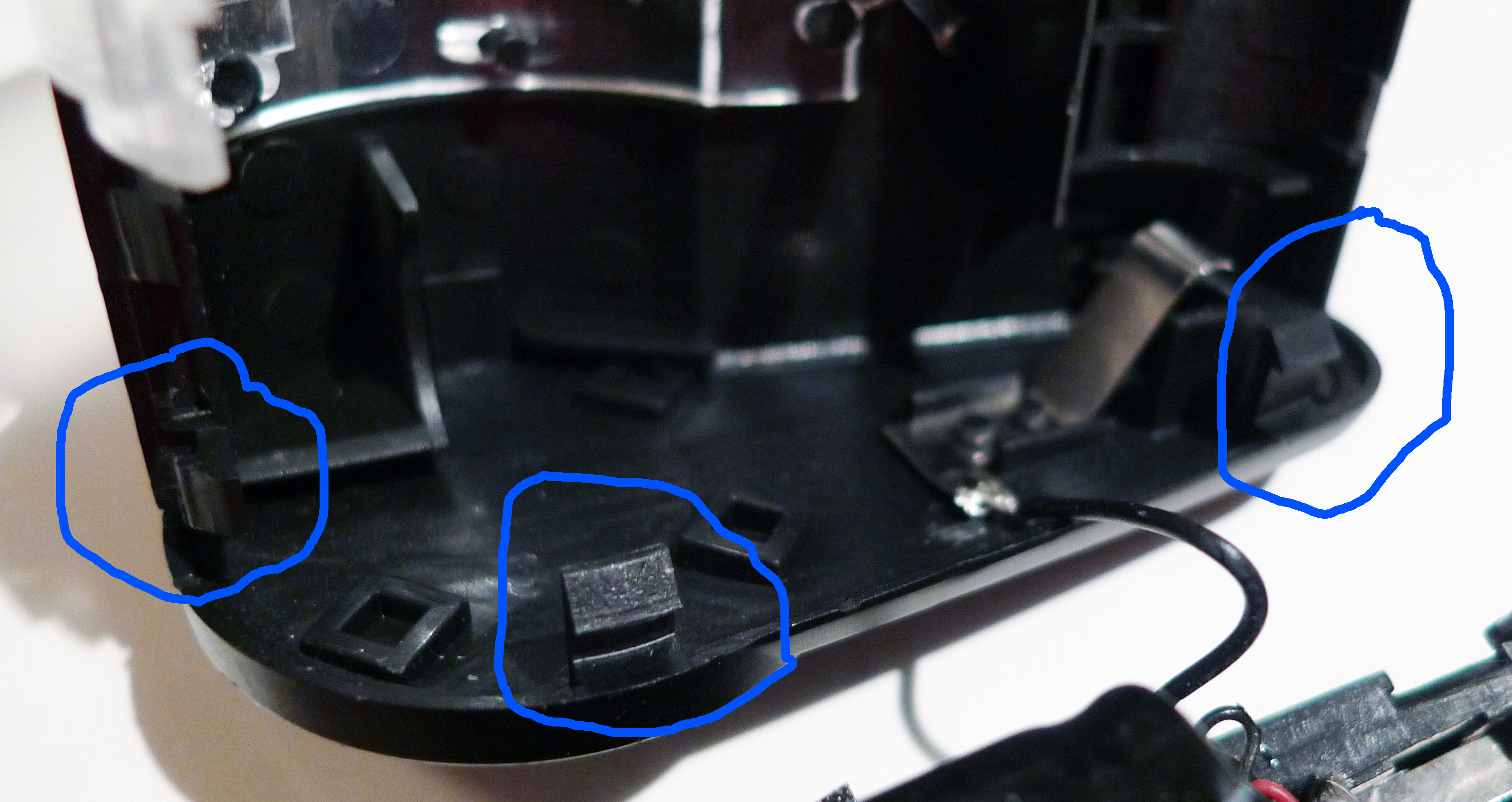
Afterwards, I grabbed the Colorsplash and gently opened it up like a clamshell using the opened battery compartment.  There are several tabs on the unit’s end pieces that can be coerced open by gently rocking and twisting the Colorsplash case.  Also, at this point, I also removed and set aside the color-gel carousel, the power button and its spring.

Showing the tabs in the "back" part of the Lomography Colorsplash
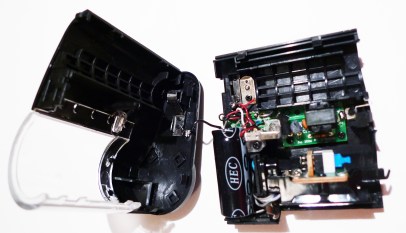
Lomography Colorsplash opened up

Once completely open, I looked at the part of the flash closest to the hot-shoe and saw a loose wire.  That was my broken circuit!!!
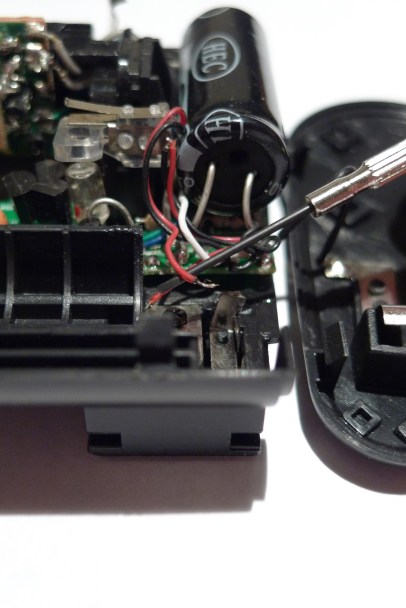
The broken connection above the hot-shoe plug

In order for the flash to execute, the shutter has to close the circuit.  I’m assuming that the fall and contact with the floor must have broken the solder between the little tab and the wire.

The Fix:

In order to fix this problem, I had to bust out with my soldering gun and some thin gauge solder.  After warming up the gun, I put the wire in place and soldered the broken pieces together.  Once I checked that I had a pretty decent physical connection again, I put everything back together.
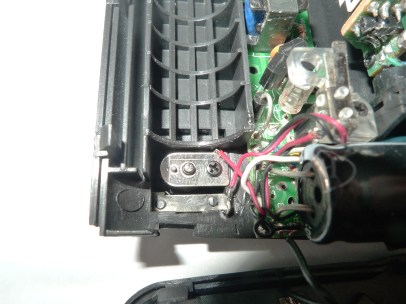
The connection re-established using solder and a soldering gun

Putting the case back together took a little longer than I expected.  Once I put the upper part of the case over the bottom half, I also had to slip the color-gel carousel, the button and it’s spring back into the flash body.  I needed a pair of tweezers to get the power button and spring back into place since it’s such a tight spot.  Finally, after snapping all the pieces back into place I put the main screw back where it belonged and tested the flash.  I grabbed an  older Smena Symbol and mounted the Colorsplash and it worked!!!

A nice pat on the head/victory dance later, I was back in action with my fixed Colorsplash flash.  In all, it took about 45 minutes to an hour of my time to disassemble, solder and re-assemble the Colorsplash Flash.

I did add one other piece to my Colorsplash: a lens cap keeper which I attached to the Colorsplash body using an adhesive tab.  The lens cap keeper’s elastic tether can wrap around the camera or lens bodies and keep the flash from falling to the ground again.

Using a lens keeper gives me a little more security

Warning:

Just keep in mind that the Lomography Colorsplash Flash is an electrical device that stores electrical charges and then releases them.  I’m not telling anyone to go out and fix their flash units themselves.  I’m just showing you what I did and that it was a fairly easy fix.  If you’ve worked on repairing electrical devices, then this would be a straight forward fix for you, otherwise I suggest that you keep your receipts and head to your local Lomography store.

The Pictures:

In case you’ve never seen a Lomography Colorsplash before, here are a few pictures that show it at work…

Lomography Fisheye 2 with Colorsplash Flash
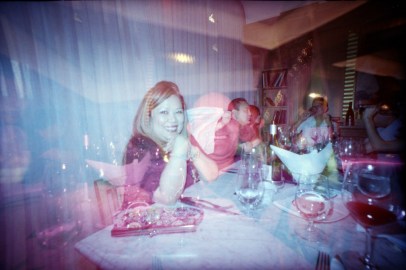
Lomography LC-Wide with the Colorsplash Flash
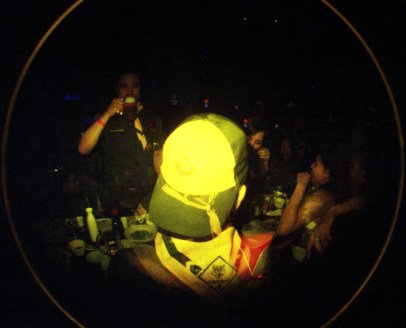
Lomography Fisheye 2 with Colorsplash Flash

Filed under: Accessories, Analog Life, Russian Camera, Toy Camera, Vintage Camera, , , ,

My Lomokino Rig

Having fun with a new camera is great, but I really needed to find a way to get a better handle on a painful situation…(pun intended)

My Lomokino Rig

Hello Lomokino:

A few weeks ago, the Lomography store in LA had a Red Carpet Event party for their latest camera, the Lomokino Movie Maker.  Like the movie film cameras of old, the Lomokino shoots sequential frames with a manual wind of its take-up crank.  What’s neat, aside from being able to shoot a series of continuous frames, is that it uses 35mm film!  For just under $80, I saw it as a great buy that would be fun to try out.

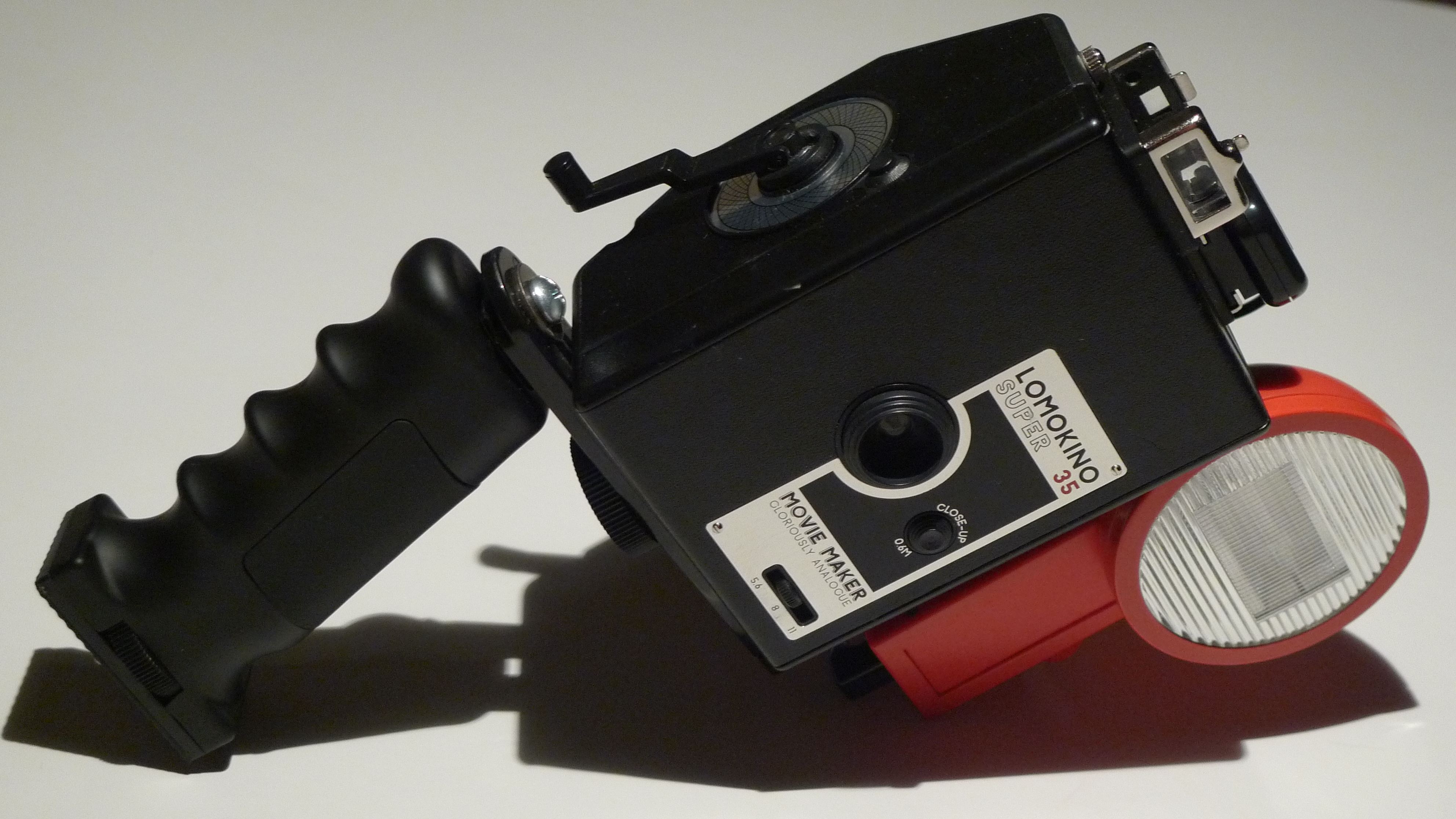
The Lomokino

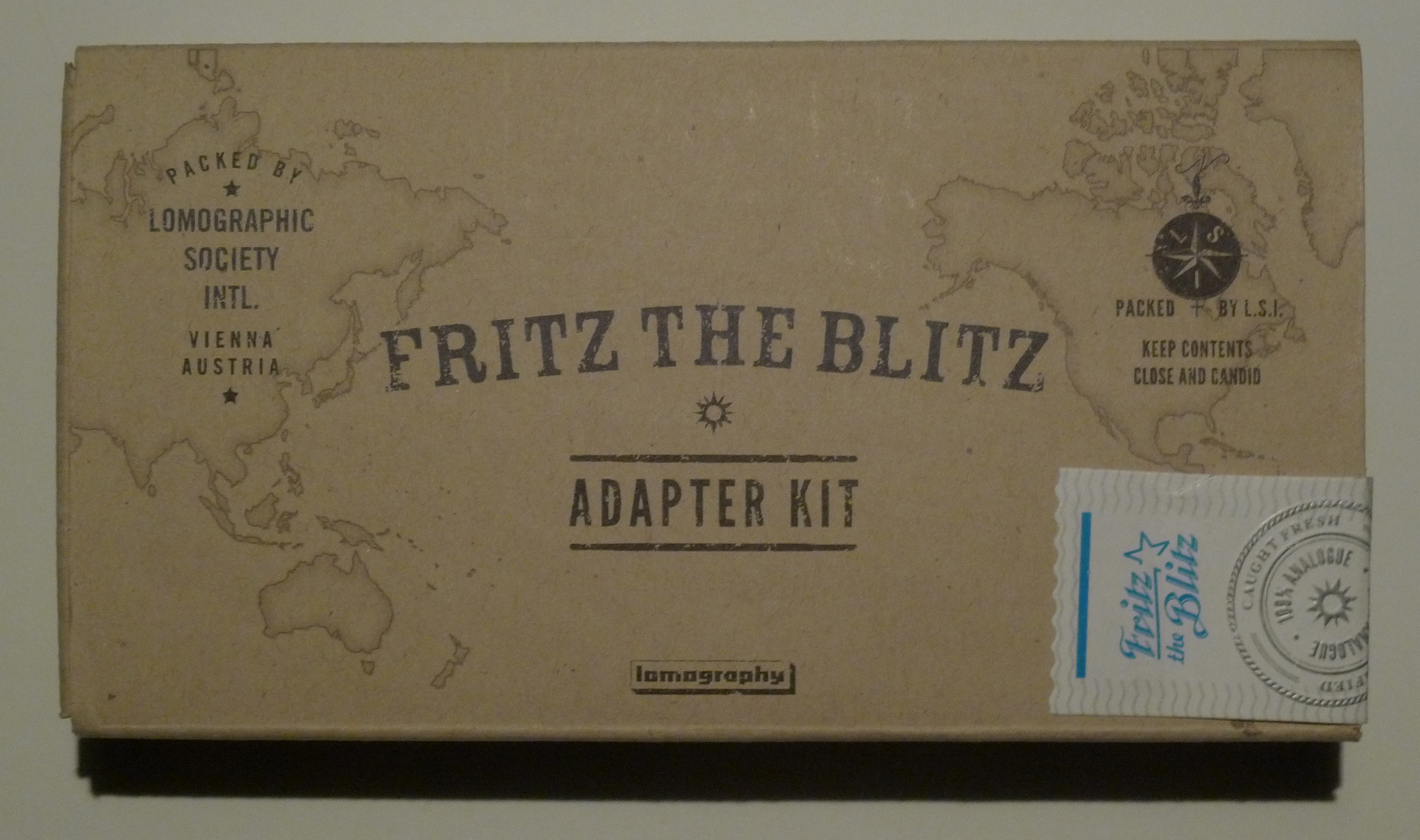
Throughout the party, the folks at the store were running around taking pictures of the event with Lomokinos in hand, but since it was night,  they used the Fritz the Blitz flash, cable and adapter to get their shots. I took notice of the way that they were holding the cameras and the flash while cranking away at the Lomokino and…it looked kind of uncomfortable.  I didn’t think much about it since we were having a lot of fun…so much fun, that I bought a La Sardina camera with the Fritz the Blitz flash and the optional adapter kit, to boot.

La Sardina - El Capitan Edition

The Problem:

The next day, I unboxed my Lomokino, loaded some film into it and started shooting around my apartment.  For the dark spots, I mounted the Lomokino on the Fritz the Blitz adapter and hooked up the camera to the flash unit.  I then set the flash to it’s lowest level and was able to get three to four lit frames off of one solid charge on the flash.  Using either of the two other higher settings on the flash sucks up the charge too fast and makes you wait for the next full re-charge.

Well, after about 5 or so minutes, my hands were getting tired.  The square shape of the Lomokino isn’t the most ergonomic design that Lomography has put out.  That, plus having to hold the adapter and Fritz the Blitz flash, as well, didn’t make things any easier either.  Then I remembered the Lomography staff and how they had to keep cranking away all night taking pictures of the event.  If they were in pain, they hid it well (or had plenty of breaks in between).

…and that’s when I went to Google…

The Parts:

Since I already had the Fritz the Blitz adapter, Flash and Lomokino camera, the only thing I was missing was a handle.  I figured that someone out there had a handle with a mount screw that would fit the adapter, so before I worried about any other little parts I had to find the right grip.

Once found and ordered, this is what I ended up needing to build out my “rig”:

  • One Barska Accu Grip Hand Held Mount – It’s contoured and shaped for a good solid grip and has a nice rubbery coating that’s easy to hold.

Barska Accu Grip Hand Held Mount

  • One Fritz the Blitz adapter kit – You’ll need the hot-shoe adapter cable and the adapter arm with the attached swivel for the flash.

Fritz the Blitz Apapter Kit

  • One #12-24 x 3/4″ machine screw and washer – Used to mount the Accu Grip in place.

#12-24 x 3/4" Machine Screw and Washer

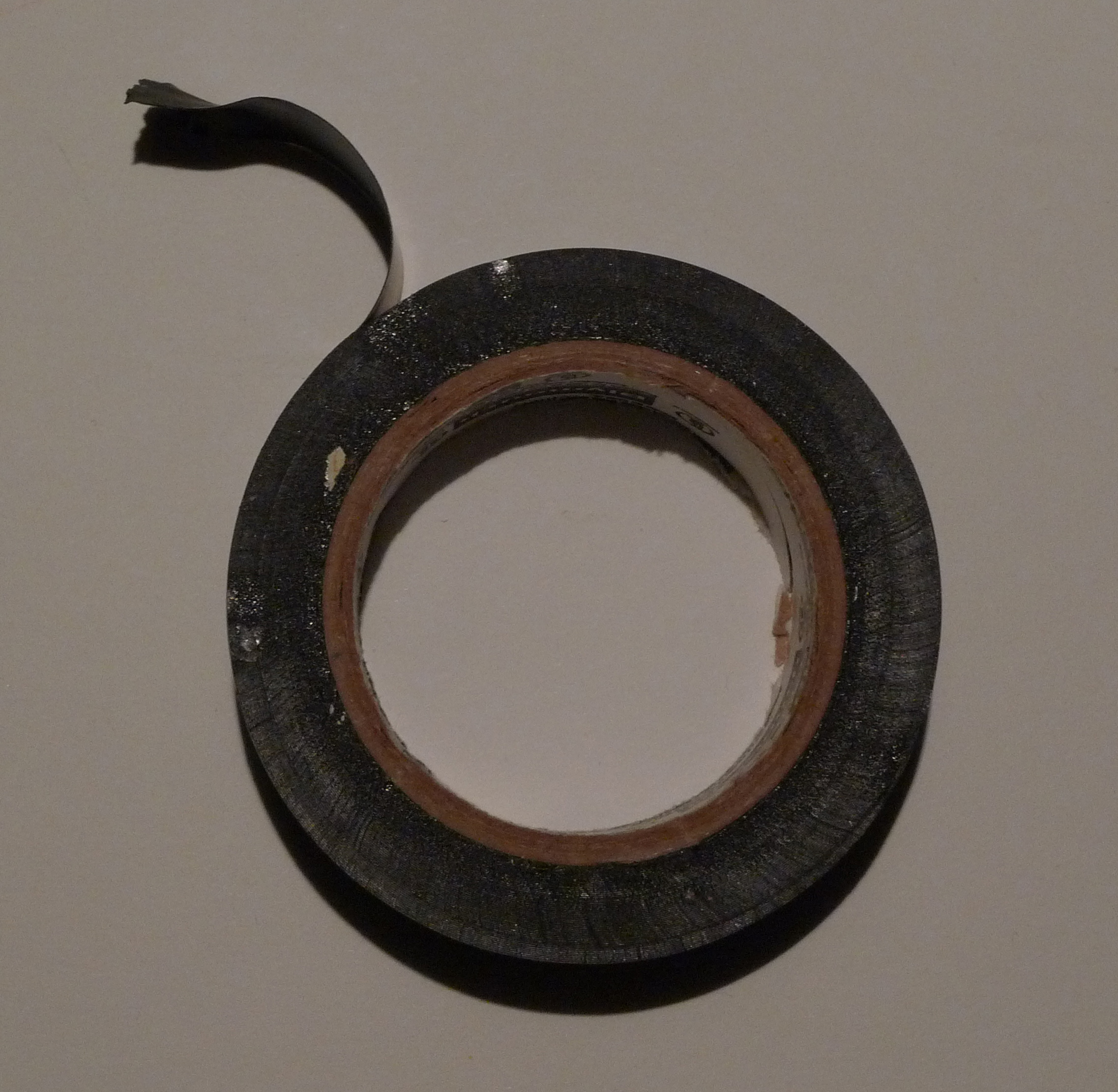
  • One roll of black electric tape – You’ll be making two washers with the plastic tape.

Electrical Tape

Tools needed are:

  • One Phillips screwdriver – For screwing the handle to the adapter arm
  • One pair of scissors – Too cut the electrical tape without stretching it
  • One very pointy object – You’ll need to punch a pencil sized hole through electrical tape
  • One drill with a step bit – You may need this particular bit to widen the hole on the end of the adapter arm if you don’t have a thin file

The Solution:

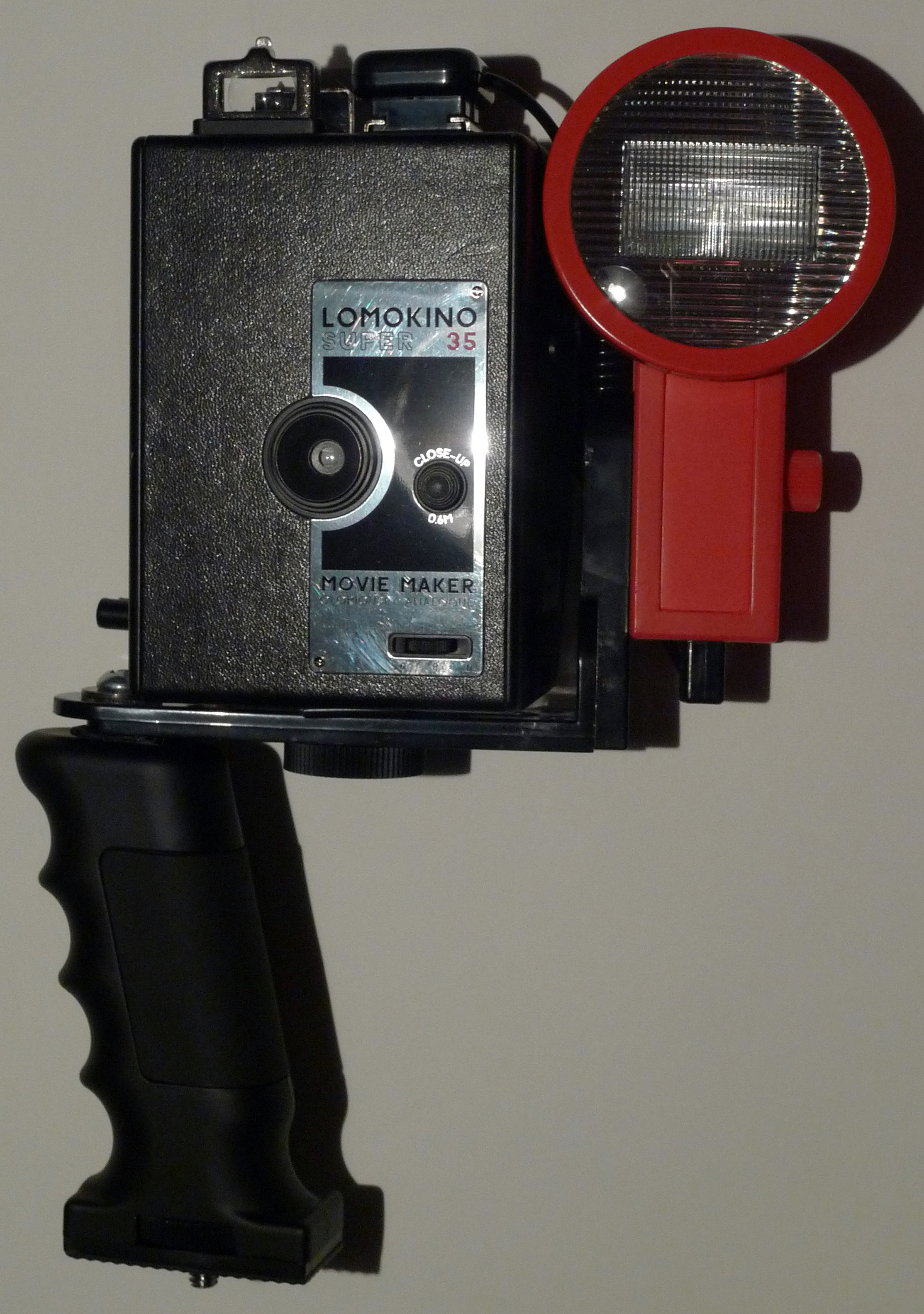
Just so you can see the finished product before the assembly notes, here’s what I ended up getting:

The finished Lomokino assembly

The Good Stuff:

This whole assembly wasn’t built step-by-step; it was built by trial-and-error.  I’ll reference the different parts of the rig according to the picture below and give you a general idea of what I had to do to put it all together.

One thing first.  Since I didn’t have any rubber washers, I had to make my own out of the electrical tape.  Till I (or you) find just the right ones, do this…

Cut out a couple of three inch pieces of electrical tape from your roll and fold the first one over itself so that you have a square.  Do the same with the other, only fold it over itself with the sticky side up.  Now punch a pencil sized hole through the center of both of them.  You’ll need these “washers” for the assembly below.

* Note that three inches of the tape is not a definite.  You may have to add or remove tape till it’s the right thickness.  It all just depends on your folding skills…  🙂

  1. The handle has to be mounted upside down, which is fine.  The built in screw on the handle wasn’t long enough to reach through the provided hole at the end of the Fritz the Blitz adapter arm.
  2. Fortunately, the other end of the handle has a hole with the right sized threading with which you can use a #12-24 3/4 screw and washer to mount the handle.  You may have to widen the given hole in the adapter to fit the bolt.  If so, be sure to use the washer so the screw head doesn’t slip through.   Also, you’ll need that “sticky” washer we made and put it between the grip and the adapter arm.  The flexibility of the tape and the stickiness of its glue will keep the handle from spinning around while your shooting.
  3. The given knob that’s used to mount the camera on the Fritz the Blitz adapter arm doesn’t fit too well in the Lomokino.  It only goes in so far.  Without the right size spacer, the camera wobbles around.  This is where the second “non-sticky” washer helps out.  Just place the washer between the camera and the adapter arm and run the bolt through it.  You won’t need too many turns to tighten it, so be gentle.  You don’t want to strip the camera’s thread.
  4. Connect the hot-shoe end of the adapter cable to the Lomokino and plug the other end into the flash.

The Finish:

When all is done, adjust the handle so that it sits at a comfortable angle and give the screw and knob one more easy twist.  At this point you should be good to go.  Here’s what the finished rig should look like…

Positioning the camera and handle on the adapter arm this way gives me pretty decent balance as I turn the take-up crank and snap my pictures.  Also, my other hand is in a much more comfortable position as it doesn’t have to hold up the camera, the flash and the adapter arm at the same time.

Filed under: Analog Life, Reviews, Tip, , , , , ,

Lubitel 166B

How it happened

When the Lomography Store – LA announced that they were going to have a Lubitel 166+ workshop, I made it a point to attend.  I was curious as to how those big square cameras worked.
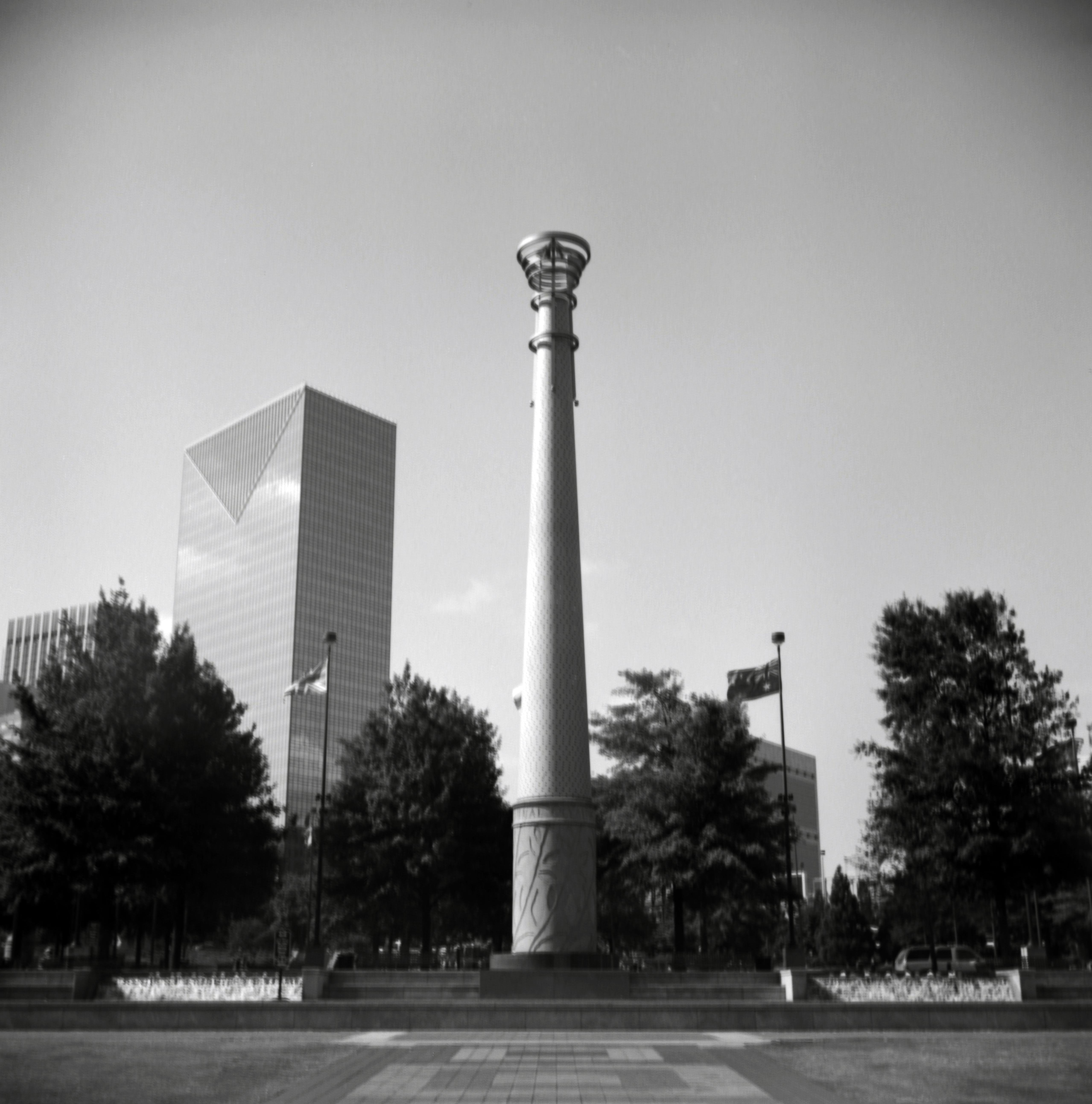
Turned out, they weren’t that bad.  They were pretty Lomographied (my own word) to the point that it was fun to use…however I wasn’t ready to drop the $350 on it.

So I turned to my friend eBay and found a vendor who was selling a ton a cameras at a pretty good price.  The only catch is that he’s in the Ukraine.  So even though the cameras were pretty well priced, the shipping was at least $20 each.  After some emailing, back and forth, he was nice enough to give me around $5 off for each camera I bought.  I checked his other listings and aside from the Lubitel 166B, I got a Kiev 4, Zorki 4 and a Smena Symbol for around $200 dollars.  Not a bad deal since the Lubitel 166B was only around $60.

Lomo Lubitel 166B

A few notes about the Lubitel 166B…

  • Manufactured by Lomo in Russia in the 1980’s
  • Lubitel is Russian for “Student”
  • They’re made of bakelite plastic material (body) and metal parts (inside)
  • The design is based on the Voigtlander Brilliant
  • It’s a TLR (Twin Lens Reflex) camera (upper glass lens if for focusing, lower glass lens has the shutter)
  • It uses 12o medium format film

A couple of differences between the Lomography Lubitel 166+ and the Lomo Lubitel 166B…

  • The Lubitel 166+ has less knobs on the outside
  • The Lubitel 166+ can shoot with 35 and 120 film
  • The Lubitel 166B has a cold shoe with a PC cable plug in the front
  • The Lubitel 166+ uses symbols to help with the F-Stops.

For the Lubitel 166B, missing some of those nice features on the newer Lubitels isn’t too bad.  I still saved about $150…and I love my Lubitel 166B.  The pictures I take with it are pretty awesome.  They’re sharper than a Holga and I feel that I have much more control over the shot.

Here are a couple of shots I took with my Lubitel 166B in Atlanta, Georgia:

The Gymnast just outside of the Georgia Dome in Atlanta

Olympic Park in Atlanta, Georgia

Pros…

I love the quality of the image.  I rarely have to touch up a well exposed frame.

The focus, aperture controls are intimidating at first, but you get used to them and you learn a lot from this type of camera.  Who needs symbols!?!  Use the Sunny 16 rule instead…

Remember, the price was still around $170 cheaper…

Cons…

The Lubitel 166B is a delicate camera.  The smaller knobs that hold the spools in place fall off and the threading inside them is easily stripped.  I’m trying to find replacement knobs for them, but in the meanwhile I use #4-40 nuts and stripped down paper clips to keep the spools in place so I can continue using the camera.

The camera case I got with it is pretty basic and a pain to put on and take off.  Use a larger camera case instead that lets you secure the camera.  Your Lubitel will love you for it.

Also, be careful with the door on the Lubitel 166B.  I added some velcro to mine to keep the door from accidentally opening.  Looks wierd, but it comes in handy.

There is no warranty for something like this.  You may have a harder time finding someone to fix it than the more modern Lomography Lubitel 166+.

Last thoughts…

I don’t regret getting the Lubitel 166B over the more expensive, yet more versatile Lubitel 166+.  I saved money on a camera that I think takes rather amazing pictures, especially since I save my Lubitel (and my other medium format cameras) for the big, artsy shots like statues, monuments and murals.  The cons list above may run a little longer than the pros, but with some knowledgeable shooting and some TLC, you’ll be glad to have gotten the Lubitel 166B.

On a side note, I’m also tempted to check out the Lubitel Universal next…  🙂

Filed under: Reviews, Russian Camera, , , , , , ,

In the Beginning…

Call it Toy Camera Photography, Lomography or Analog Photography – whatever it is, it’s still fun.  If it creates an image on film and I can scan it, I’ll do it!!!

Folks ask me, “why shoot on film?  Digital is easy.”  My response is always the same:

“You either like to eat or you like to cook.  I like to cook”

The same goes with photography. I want be a significant part of the process required to get my pictures to where I’ll be happy with them…and hopefully you will too.

In the past year, I’ve learned quite a bit about analog photography.  I’ve bought several cameras, attended workshops and consider myself a pretty active photographer.  I pretty much keep a camera next to me all the time, just ready to take that quick shot if I see it coming.

The purpose of this blog is share my experiences as I load, shoot, develop and print the dozens of pictures I take every week.  Hopefully, the feedback I get will teach me something as well.  I’ll focus on toy cameras (Desderi, Lomography), Russian cameras (Kiev, Smena), modern film cameras (Fuji, Lomo) and older cameras from yesterday (Canon, Konica); if I have to spool it, I’ll use it.  I’ll also experiment with film, lights and other important pieces needed to make this as informative a blog as possible.

That’s it for now, but be on the look-out for upcoming posts…

Fun at Alcatraz with a Lomography ActionSampler Flash and B/W film

Filed under: Analog Life, Russian Camera, Toy Camera, Vintage Camera, , , , , , , ,